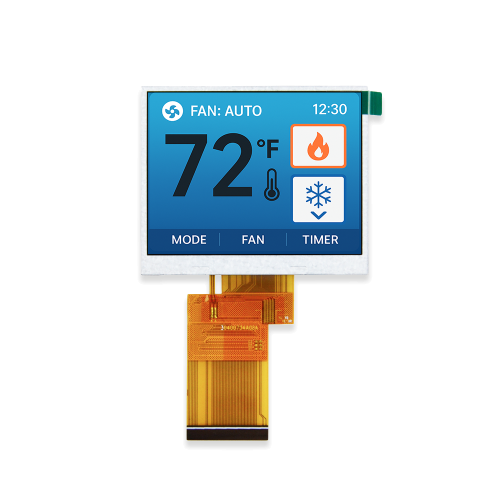
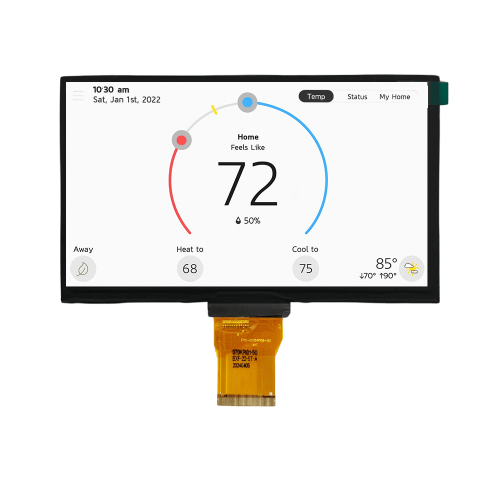
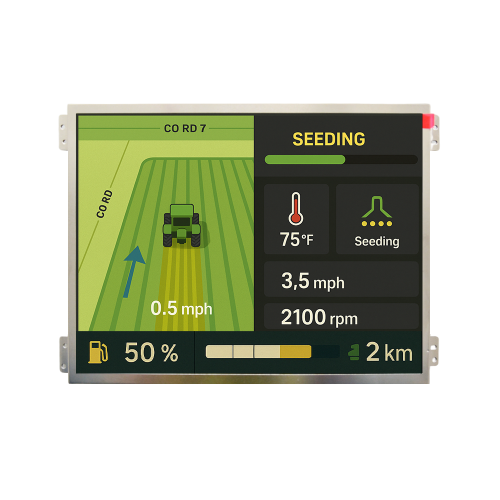
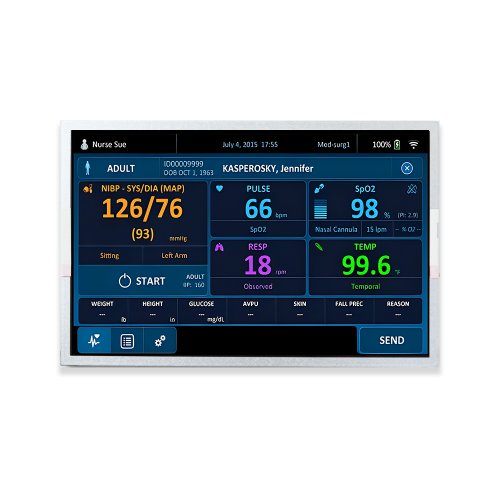
For industrial HMI panels, medical devices, EV chargers, marine equipment, smart home control panels, and outdoor terminals, LCD display burn in is more than a visual defect. It can affect product reliability, field service cost, customer acceptance, and long-term brand reputation.
TFT LCD displays usually do not suffer from OLED-style permanent burn-in. However, long-term static interfaces, high brightness, high temperature, and continuous operation may still cause LCD screen burn in, image retention, image sticking, or burn-like ghost images.
For engineers and purchasing teams, the real question is not simply "can an LCD screen burn in?" The more important question is how to reduce the risk through proper TFT LCD selection, UI design, backlight control, thermal management, PCAP touch screen integration, and reliability testing before mass production.
In real customer feedback, terms such as LCD display burn, LCD screen burn, LCD burn screen, and screen burn on LCD are often used to describe the same visual symptom: a previous image remains faintly visible after the screen content changes.
From an engineering point of view, these terms may refer to different issues.
| Customer Term | Possible Engineering Meaning | Typical Severity |
|---|---|---|
| lcd display burn in | General concern about LCD ghost image or burn-in | Needs diagnosis |
| lcd screen burn in | Static image retention on LCD | Often temporary |
| burned lcd screen | Severe image retention or possible hardware damage | Requires inspection |
| lcd burn screen | Non-technical description of LCD ghosting | Needs further analysis |
| screen burn-in lcd | Burn-like mark on LCD | Usually not OLED-style burn-in |
| lcd panel burn in | Panel-level residual image or aging concern | Depends on usage conditions |
| tft lcd burn in | Image retention or image sticking on TFT LCD | Can be reduced by design |
| lcd screen burnout | May refer to backlight failure, screen damage, or severe retention | Cannot be judged without testing |
The more accurate engineering terms for most burn in on LCD screen cases are:
In other words, LCD "burn-in" is often not the same as permanent OLED burn-in. But it still needs to be considered carefully in industrial display projects where static content is common.
OLED burn-in is usually caused by uneven aging of self-emissive pixels. If some OLED pixels display static content for a long time, they may age faster than surrounding pixels, causing a permanent mark.
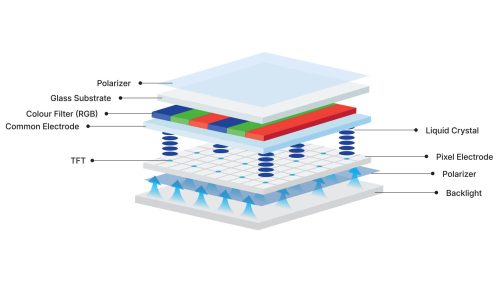
TFT LCD works differently. An LCD panel does not emit light by itself. It uses liquid crystal molecules to control how much light passes through from the backlight module. Because of this structure, LCD displays are more likely to show temporary image retention rather than true permanent burn-in.
| Item | TFT LCD | OLED |
|---|---|---|
| Light source | Backlight module | Self-emissive pixels |
| Common issue | Image retention or image sticking | Permanent burn-in or pixel aging |
| Static UI risk | Exists, but usually lower than OLED | Higher |
| Industrial static UI suitability | Often more suitable | Requires stronger protection |
| Recovery possibility | Mild retention may recover | Permanent burn-in is difficult to reverse |
When customers ask do LCD displays burn in or does LCD screen burn, a more accurate answer is:
TFT LCD displays usually do not burn in like OLED displays. However, if a static high-contrast image is displayed for a long time, especially under high brightness, high temperature, or continuous operation, the LCD may show image retention or a visual effect similar to screen burn-in LCD.
In TFT LCD displays, liquid crystal molecules rotate in response to electrical fields to control light transmission. When the same image remains on screen for a long time, some pixels may stay in similar electrical and optical states for extended periods.
Several factors may contribute to image retention:
When liquid crystal molecules remain in one orientation for too long, they may take more time to return to their normal state after the image changes. This can create a temporary ghost image.
Electrical imbalance, residual charge, or mobile ions inside the liquid crystal layer may contribute to image sticking, especially under long-term static driving conditions.
High brightness, heat, humidity, and long operation time may accelerate stress on polarizers and optical films. In severe cases, the visible issue may not be simple image retention but material aging or optical degradation.
High-brightness TFT LCD modules generate more heat. If the thermal design is poor, the higher internal temperature can increase the risk of display instability, image retention, or other long-term reliability issues.
These mechanisms are why LCD display burn in damage should be evaluated as part of the full display system, not only as a panel-level issue.
Consumer monitors usually display changing content. Industrial TFT LCD displays are different. Many embedded display products remain on the same screen for long periods.
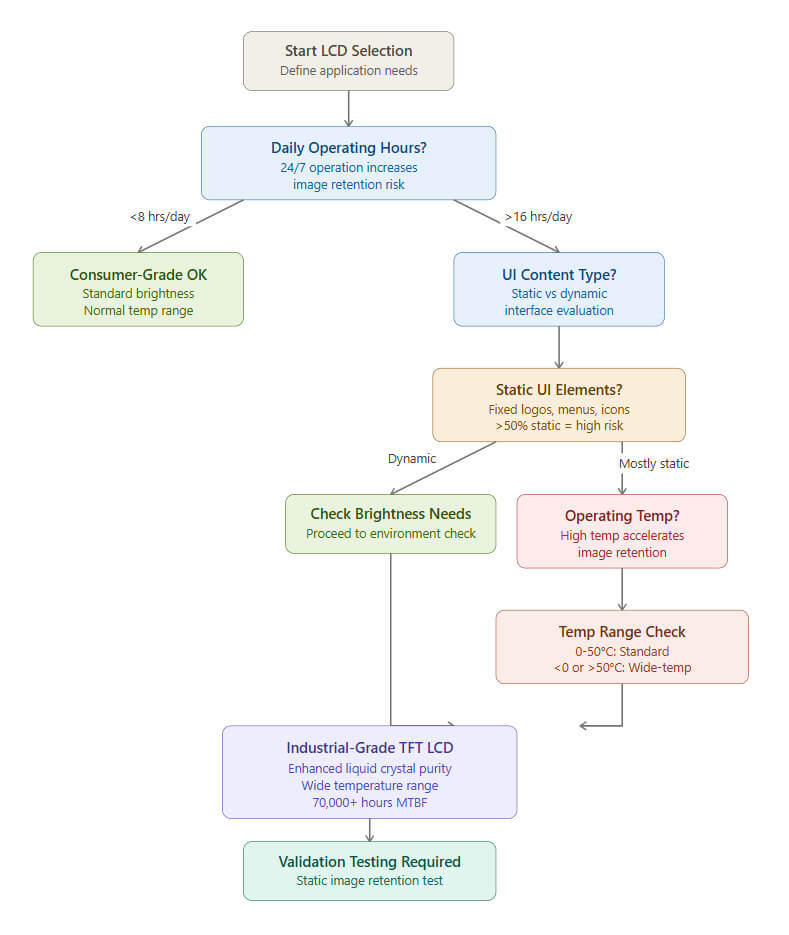
This makes tft lcd burn in and image retention a practical topic in B2B display projects.
High-risk static elements include:
If these elements remain unchanged for a long time, customers may notice symptoms similar to LCD monitor screen burn or monitor screen burn in LCD.
Many industrial and outdoor applications require high-brightness LCD displays, such as:
High brightness does not automatically cause LCD screen burning, but it can make ghost images easier to see. It also increases the thermal load of the display system.
If an LCD module runs at high brightness for long periods while showing a mostly static interface, the risk of image retention complaints may increase.
Temperature affects liquid crystal behavior, polarizer stability, backlight performance, FPC reliability, driver ICs, and optical structure.
Applications that need extra attention include:
For these applications, engineers should not evaluate an LCD module only at room temperature. Real operating temperature, backlight power, enclosure design, heat dissipation, and long-term operation should all be considered.
Many industrial display projects require all-day operation. Even when the TFT LCD panel itself is reliable, a fixed interface displayed continuously may still increase the risk of screen burn on LCD or image sticking.
At the project stage, engineers should confirm:
These questions directly affect TFT LCD selection and reliability validation.
Early detection helps prevent temporary image retention from becoming a serious field complaint. A customer may describe the issue as lcd screen burning, lcd screen burn out, or burned lcd screen, but the actual symptom should be checked carefully.
Common early signs include:
If the symptom improves after rest or dynamic content, it is more likely to be temporary image retention. If it remains unchanged, further panel-level or system-level analysis is required.
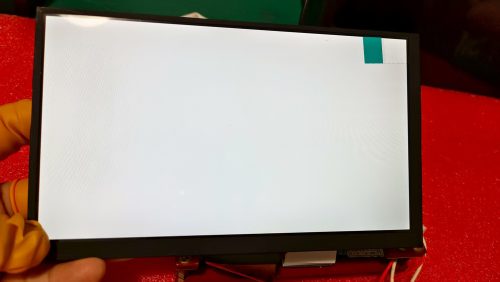
When a customer reports a burned LCD screen, the issue may not be LCD burn-in. It may also be a white spot, bright spot, backlight issue, pressure mark, ESD damage, optical bonding issue, or touch screen structure problem.
| Customer Symptom | Possible Cause | Suggested Check |
|---|---|---|
| Ghost image after screen change | Image retention / image sticking | Gray screen and dynamic image test |
| Local white dot or bright spot | Backlight, LCD cell, ESD, bonding, or pressure issue | White spot inspection process |
| Local dark area | Backlight, FPC, IC, or structure issue | Electrical and optical inspection |
| Uneven brightness | Backlight uniformity or optical film issue | Backlight and assembly check |
| Touch failure | PCAP controller, FPC, firmware, or bonding issue | I²C/USB and touch function test |
| Yellowing or dark edge | Polarizer aging, thermal aging, or backlight aging | Reliability and environment review |
If the visible issue is not a ghost image but a white dot, bright spot, or local bright area, it may not be LCD screen burn. Such issues may be related to backlight structure, LCD cell defects, ESD, optical bonding, mechanical pressure, or QC control.
For more details, you can also read our related article: LCD Screen White Spot: How to Prevent and Control.
This helps separate LCD display burn in from other display defects and gives engineers a clearer path for root cause analysis.
IPS TFT LCD displays are widely used in industrial HMIs, medical devices, smart home panels, instrumentation, and outdoor equipment because of their wide viewing angle, stable color performance, and strong visual consistency.
However, like other TFT LCD technologies, IPS LCDs are not completely immune to image retention. If an IPS LCD screen displays a fixed high-contrast interface for long periods, especially under high brightness or high temperature, a temporary ghost image may appear. This issue is sometimes described as IPS LCD screen burn, although the more accurate engineering term is image retention or image sticking.
This does not mean IPS LCD is unreliable. It simply means engineers should combine the right panel selection with proper UI design, brightness control, thermal management, and validation testing.
To reduce the risk, engineers should:
For B2B projects, the goal is not to avoid IPS TFT LCD. The goal is to select and validate the right IPS display for the actual working environment.
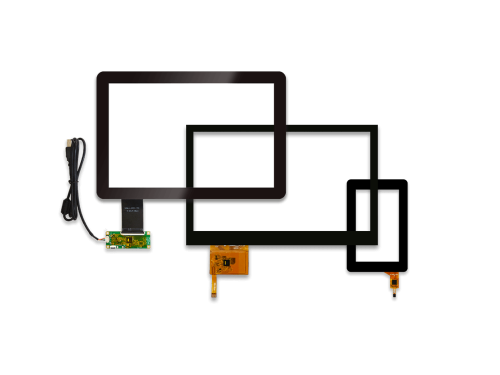
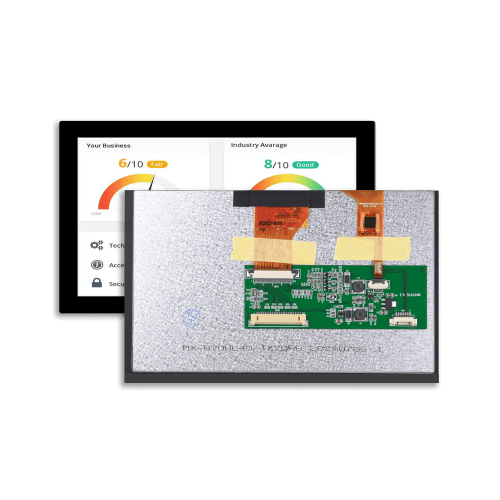
For many industrial products, the TFT LCD is integrated with a PCAP touch screen, cover glass, optical bonding, or air bonding. These structures can affect the overall display system, including thermal behavior, readability, touch performance, and mechanical reliability.
Touch display projects may have additional considerations:
For PCAP touch screen projects, engineers should evaluate LCD display burn in risk together with touch structure, cover glass thickness, bonding method, brightness requirement, and working temperature.
A good LCD and touch supplier should help review both display performance and touch integration, instead of treating the LCD panel and touch screen as separate components.
Preventing LCD screen burn in is more effective than handling field complaints after mass production. The following recommendations are useful for engineers, product designers, and purchasing teams.
Do not keep the same pixels displaying the same content for long periods, especially bright icons, white text, black backgrounds, fixed borders, and fixed logos.
Recommended design practices include:
For HMI systems, even small UI changes can help reduce the risk of screen burn in LCD.
If the device does not need to show the full interface continuously, consider adding:
For LCD systems, a black screen does not necessarily reduce backlight stress if the backlight remains on. When possible, use real backlight dimming or shutdown during idle periods.
These features are especially useful for smart home panels, medical terminals, EV chargers, industrial control panels, and self-service terminals.
High-brightness TFT LCDs are important for outdoor applications, but full brightness should not be used all the time unless required.
Recommended options include:
This helps reduce the risk of lcd display burn in damage and also supports longer backlight lifetime.
Pixel shift means the screen content moves slightly within a very small range. Users may not notice the movement, but it helps prevent the same pixels from displaying the same content continuously.
This method is useful for:
For devices that show fixed interfaces for long periods, pixel shift is a practical engineering method to reduce image retention risk.
Preventing TFT LCD burn in cannot rely on software alone. LCD module selection is also important.
Engineers should confirm:
For industrial, medical, EV charging, outdoor, marine, and heavy equipment projects, it is better to discuss application conditions with the LCD supplier early instead of selecting a display only by size and price.
A room-temperature lighting test cannot fully represent the final operating environment.
Recommended validation items include:
For B2B projects, reliability validation is often more important than comparing sample appearance only.
If a customer reports a burned LCD screen, the first step is not to immediately judge it as burn-in. The actual symptom must be confirmed.
Ask the customer to provide:
This information helps identify whether the issue is temporary image retention, permanent damage, or another structural or electrical problem.
If temporary image retention is suspected, try the following methods:
If the ghost image gradually fades, it is more likely to be temporary image retention. If the image remains unchanged, further panel-level analysis is required.
Not every lcd screen burnout issue is burn-in.
The real cause may be:
This is why engineering support and failure analysis from the LCD supplier are important.
Different applications have different image retention risks. Engineers should evaluate the display based on real operating conditions rather than using one general standard for all products.
Industrial HMIs often run continuously and show fixed status icons, buttons, and machine dashboards. Dynamic UI design, brightness control, and static image tests are important.
Medical equipment may display fixed overlays, menus, or monitoring grids for long periods. Display clarity and consistency are critical, so early image retention testing is recommended.
Outdoor terminals often require high brightness and wide-temperature performance. These applications should consider sunlight readability, backlight heat, optical bonding, and environmental reliability.
Marine, agricultural, and construction machinery displays may face vibration, sunlight, humidity, and temperature changes. Wide-temperature TFT LCD modules and proper mechanical design are important.
These products often display standby screens, fixed icons, or clock interfaces for long periods. Sleep mode, dimming, and dynamic standby UI can reduce image retention risk.
For overseas B2B customers, display reliability should be planned from the early project stage, not only after field complaints appear.
MAXEN focuses on TFT LCD Display and PCAP Touch Screen solutions for industrial, medical, outdoor, EV charger, marine, smart home, agricultural machinery, biometric security, gaming, and other embedded display applications.
For projects with possible lcd display burn in or image retention risk, the following information should be discussed during development:
With proper TFT LCD selection, touch screen integration, optical bonding, brightness management, mechanical design, and validation testing, engineers can reduce lcd screen burn in, image retention, and long-term display reliability risks.
Before confirming a TFT LCD Display for mass production, engineers and purchasing teams can use the following checklist.
This checklist helps reduce lcd display burn in damage, image retention complaints, and unexpected field failures before mass production.
For industrial TFT LCD projects, lcd display burn in should not be treated only as an after-sales issue. It should be considered during LCD selection, UI design, backlight control, thermal design, PCAP touch screen integration, and reliability testing.
A professional LCD and touch screen supplier should help customers answer not only "does LCD screen burn," but also:
With the right TFT LCD selection, dynamic UI design, brightness control, thermal management, and application-level reliability validation, engineers can significantly reduce lcd screen burn in risk and improve long-term display stability.
Need assistance specifying displays for your application? If your project involves industrial HMI, medical devices, EV chargers, marine equipment, smart home control panels, outdoor terminals, or other embedded display systems, our engineering team provides complimentary application consulting to help you avoid burn-in and other display challenges. Contact us at sales@maxen-lcddisplay.com to discuss your specific requirements.
LCD displays usually do not burn in like OLED displays. However, LCDs may show image retention or image sticking after displaying static content for a long time. This is why questions such as do LCD displays burn in and screen burn in LCD are still common in industrial display projects.
Permanent LCD burn-in is less common than OLED burn-in. However, if the screen operates for a long time under high brightness, high temperature, fixed image content, or abnormal driving conditions, the residual image or display damage may become difficult to remove.
Common causes include static UI, high brightness, long continuous operation, high temperature, unsuitable driving conditions, poor thermal design, and insufficient application-level reliability testing.
No. TFT LCD burn in usually refers to image retention or image persistence, while OLED burn-in is mainly related to uneven aging of self-emissive pixels.
Yes, it can happen. If an industrial HMI displays fixed buttons, menus, logos, status bars, or dashboards for long periods, lcd screen burn or ghost image may appear. Dynamic UI, dimming, screen sleep, and static image testing are recommended.
Yes. IPS LCD screen burn usually refers to image retention on IPS TFT LCD, not OLED-style permanent burn-in. Proper UI design, brightness control, thermal design, and validation testing can reduce the risk.
To prevent lcd screen burn, avoid fixed high-contrast graphics, add dynamic UI changes, reduce idle brightness, enable sleep mode, add pixel shift, control temperature, and run static image retention tests before mass production.
If the issue is temporary image retention, it may improve after turning off the display, playing dynamic color content, or displaying a gray or white full-screen image. If the issue is permanent damage, the LCD panel may need replacement.
No. A burned LCD screen may be caused by image retention, backlight failure, pressure marks, ESD damage, optical bonding defects, white spots, FPC connection issues, or panel damage. The actual root cause should be confirmed through inspection.
LCD screen burnout is a non-technical term often used by customers. It may refer to backlight failure, no display, severe image retention, screen damage, or long-term aging. Engineers should diagnose the issue based on photos, test conditions, and actual symptoms.
Optical bonding does not directly prevent lcd display burn in, but it can improve readability, display clarity, touch performance, and structural durability. In some applications, better readability may allow the system to use lower brightness, which can support long-term display reliability.
Buyers should provide the LCD supplier with operating hours, static UI ratio, brightness requirement, temperature range, application environment, target lifetime, and reliability test standards. This helps the supplier recommend a suitable TFT LCD Display and PCAP Touch Screen solution.



melody.xia@maxen-lcddisplay.com