A cover glass is more than a protective layer for a display or touch panel. With customized printing, it can also become an important part of the product interface, integrating display windows, logos, functional icons and decorative elements into one clean surface.
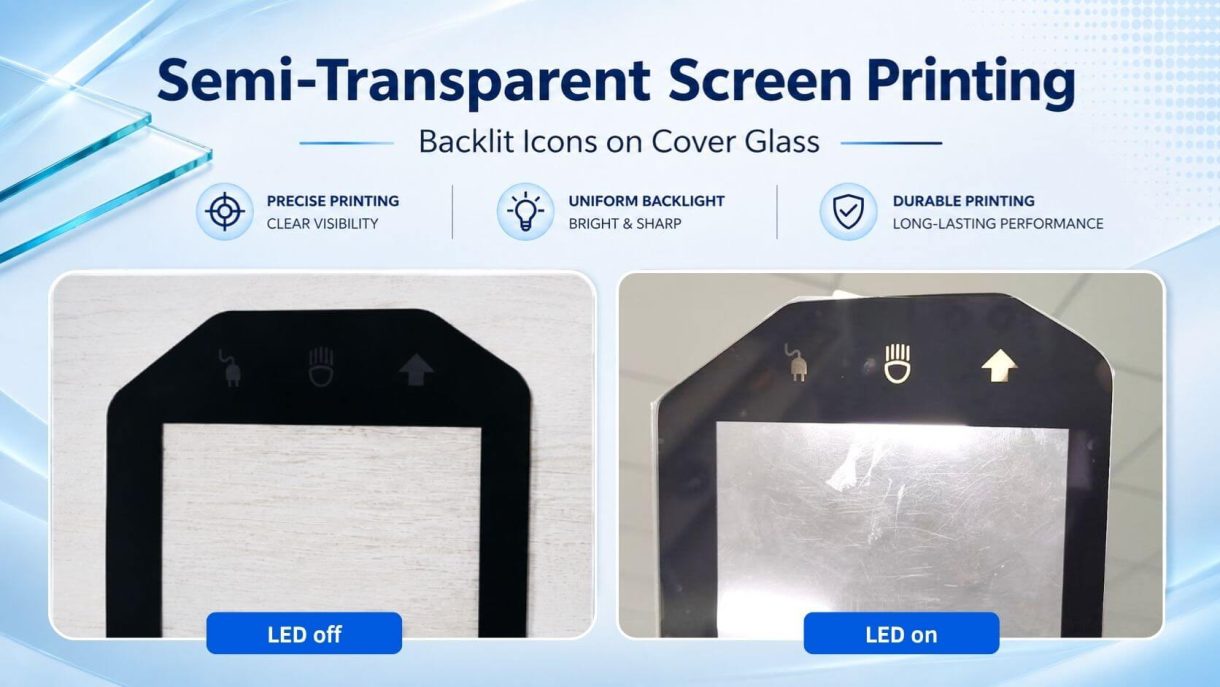
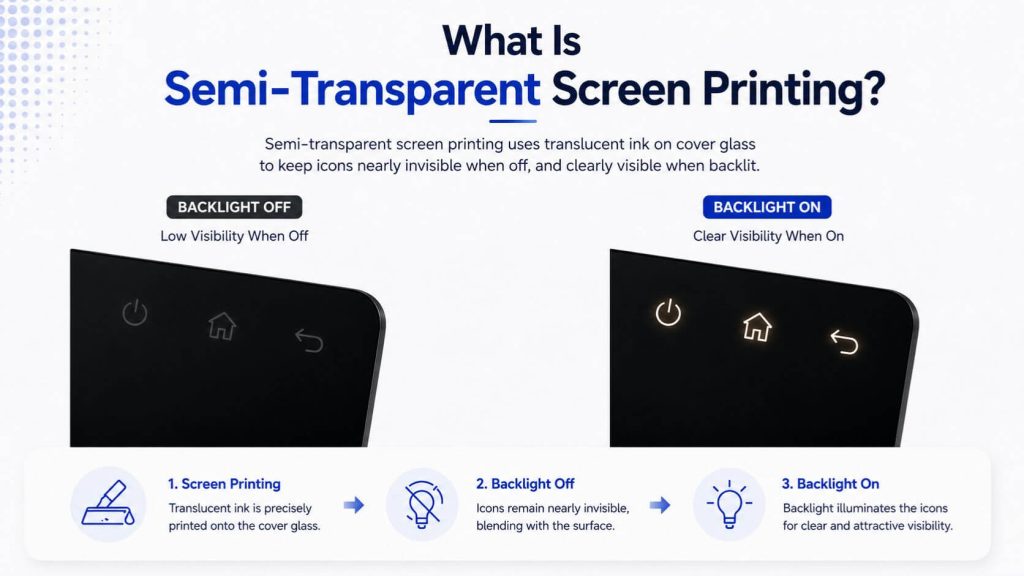
One commonly used solution is semi-transparent screen printing. It allows selected logos or icons to remain subtle when the device is switched off and become clearly visible when the internal backlight is activated.
This printing effect is widely used in industrial equipment, smart appliances, medical devices, charging stations and other products that require a clean appearance and clear operating guidance.
Semi-transparent screen printing is a printing process that allows a controlled amount of light to pass through selected areas of the cover glass.
Unlike fully opaque black printing, which is mainly used to hide internal components and define the display window, semi-transparent printing is designed for areas that need to be illuminated.
These areas may include:
When the backlight is off, the printed symbols can blend naturally into the surrounding black panel. When the backlight is turned on, light passes through the semi-transparent area and makes the logo or icon visible.
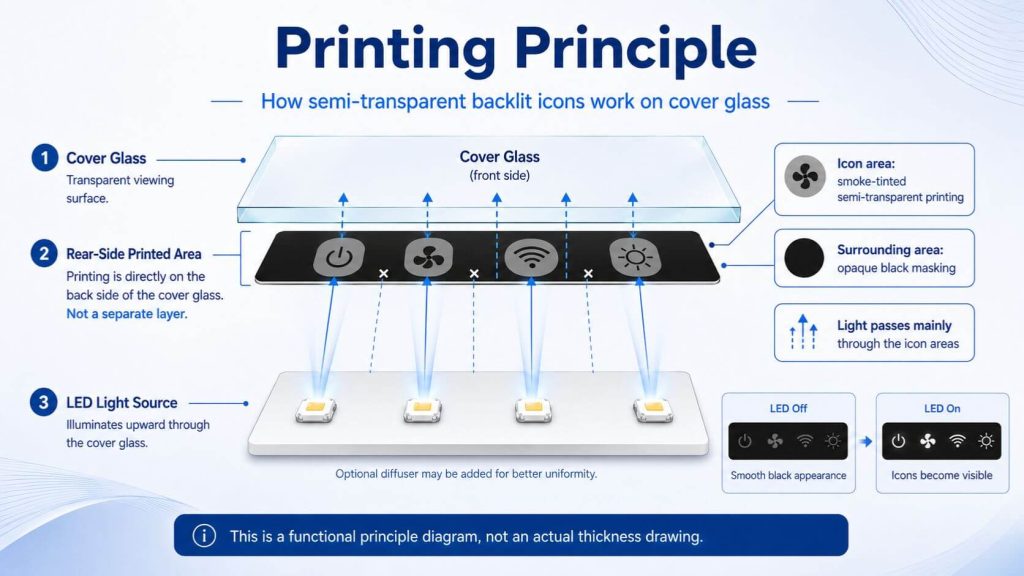
This creates a more integrated and professional-looking interface without adding separate labels or external buttons.
The printing specification depends on the cover glass design, the position of the LED light source or light-guide structure behind the glass, and the required appearance in both illuminated and non-illuminated conditions.
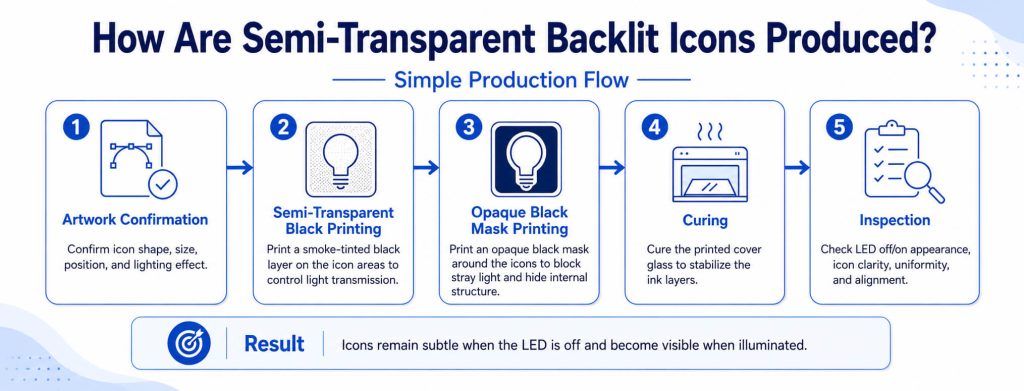
A typical semi-transparent screen-printing project includes the following stages.
The result is a clean hidden-until-lit effect: the icons remain subtle when the LED is off and become visible when illuminated.
A good backlit icon should look clean both when illuminated and when the LED is off. Key factors include:
For mass production, consistent appearance and brightness between batches are also important.
At MAXEN, the printing design is reviewed together with the cover glass drawing, icon layout and required lighting effect. Sample parts can be checked under both LED-off and LED-on conditions to evaluate icon visibility, illumination uniformity, alignment and light leakage.
Based on the sample result, the semi-transparent printing and masking design can be adjusted before mass production. During production, appearance and illuminated effect are also checked to help maintain consistent results across batches.
Semi-transparent printing can be combined with other cover glass customization options to support different product designs and interface requirements.
MAXEN can support customization such as:
For products with infrared sensors, IR-transmitting coating can be applied to designated areas of the cover glass. The coated area provides a semi-transparent appearance while allowing infrared signals to pass through to the sensor behind the glass.
This helps integrate the sensor window into the cover glass design without leaving a fully transparent opening. The actual transmittance depends on the coating material and application requirements.
Note: This coating is designed for IR transmission and does not necessarily provide selective wavelength filtering.
Diffuser film can be added behind the cover glass to improve light uniformity. By spreading LED light more evenly, it helps reduce hotspots and brightness differences, soften direct glare, and create cleaner, more consistent illumination across backlit icons.
This type of printed cover glass is suitable for equipment that requires a simple appearance when inactive and clear operating guidance when powered on.
Backlit power, menu, lighting and status icons can help operators identify important functions in factories and low-light working environments.
Semi-transparent icons allow the control surface to remain clean when the product is not in use. Once activated, the relevant controls become visible.
Connection, charging, home and confirmation symbols can be integrated into the front glass to guide users through the charging process.
Clearly illuminated symbols can improve interface recognition while maintaining a professional and easy-to-clean front panel.
Backlit icons can be used to highlight key actions such as start, return, payment, confirmation or assistance.
Hidden-until-lit symbols are also suitable for control panels that need better visibility at night while maintaining a unified surface design during the day.
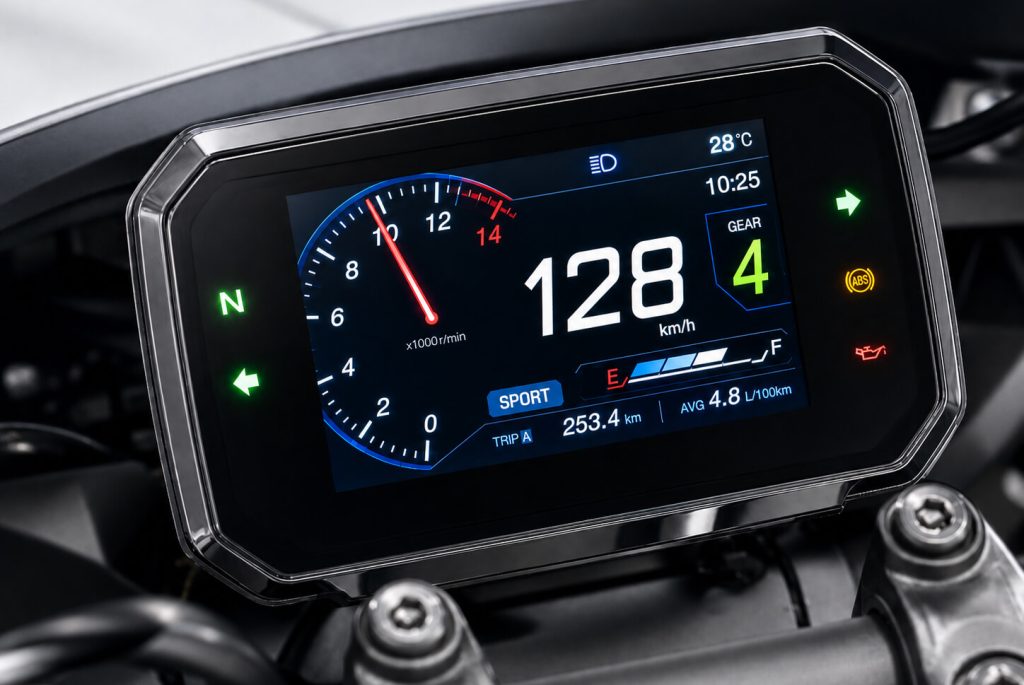
Semi-transparent screen printing is a small detail in the cover glass design, but it can make a significant difference to the appearance and usability of the final product.
A well-designed backlit icon needs to work together with the cover glass, LED light source, masking design and device structure. It should remain subtle when the LED is off, become clear when illuminated, and maintain a consistent appearance in production.
MAXEN provides customized cover glass, capacitive touch panels and TFT LCD display solutions for industrial and embedded applications. Printing options such as semi-transparent icons, black masking, IR-transmitting areas and custom graphics can be evaluated according to the product drawing and application requirements.
Send us your cover glass drawing, icon artwork, and required lighting effect. Our team can evaluate the printing design and recommend a suitable semi-transparent screen printing solution for your application.
Discuss Your Custom Design →Yes. Smoke-tinted semi-transparent printing helps the icons blend into the black cover glass when the LED is off. When the LED behind the cover glass is turned on, the icons become visible.
Yes. Icon shape, size, position and illuminated color can be customized according to the product design, LED light source and required visual effect.
Not always. A diffuser is optional and can be added when needed to spread the LED light more evenly and reduce visible hotspots.
Yes. Designated sensor areas can use IR-transmitting printing to maintain a dark appearance while allowing the required infrared signal to pass through.
Yes. The printed cover glass can be designed together with capacitive touch panels and TFT LCD displays according to the product structure and application requirements.






+86-13923461826